Conversion Tracking Implementations
Explore practical ecommerce and lead-tracking implementations, supported by debugging screenshots, configuration details and clearly scoped test results.
Independent demo projects: These implementations were created on practice environments. Screenshots document technical testing, not paid-client revenue or advertising performance.
Tracking Case Studies
Discover the objective, implementation and available evidence behind each project.
WooCommerce · GA4 · Google Ads
WooCommerce Ecommerce Tracking
A practice-store implementation connecting shopping activity to GA4, supported by web-container, server-container and analytics screenshots.
Browser & Server Event Testing
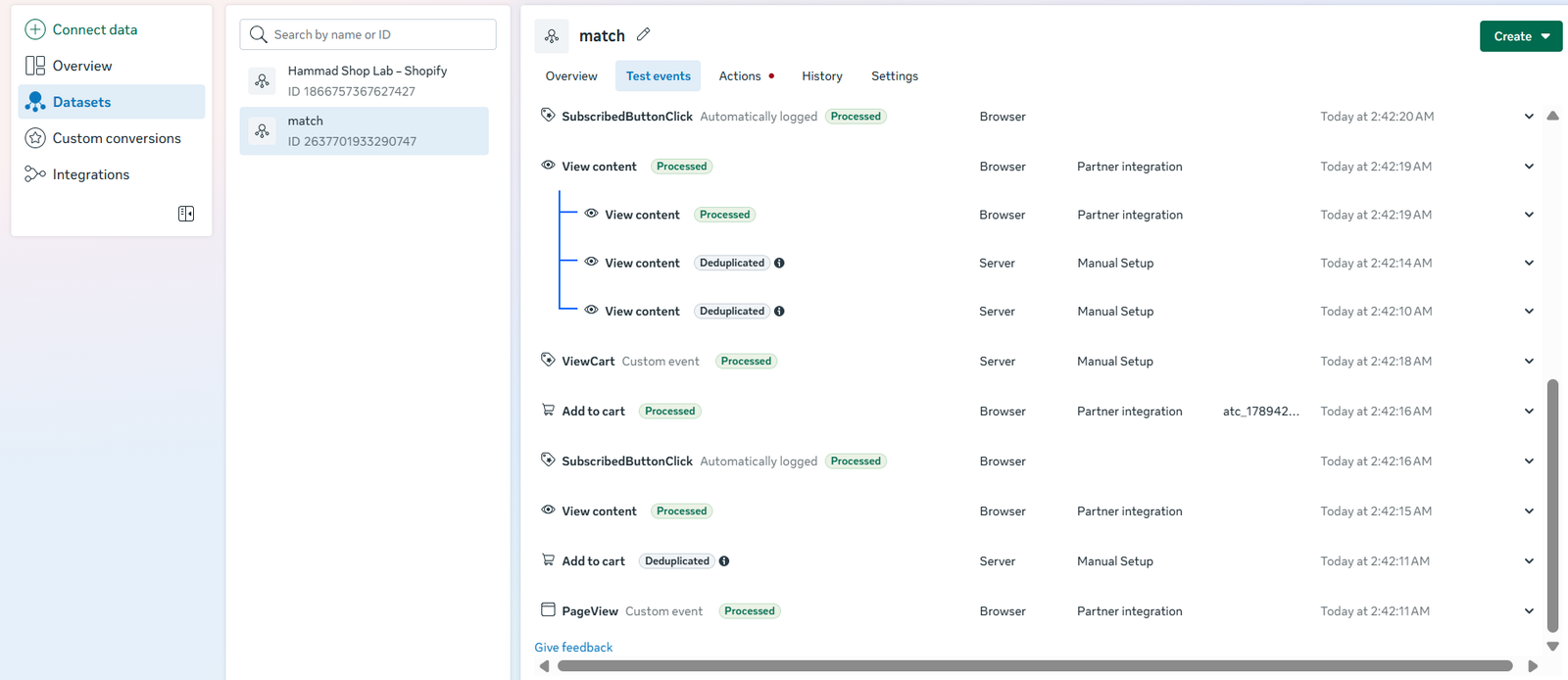
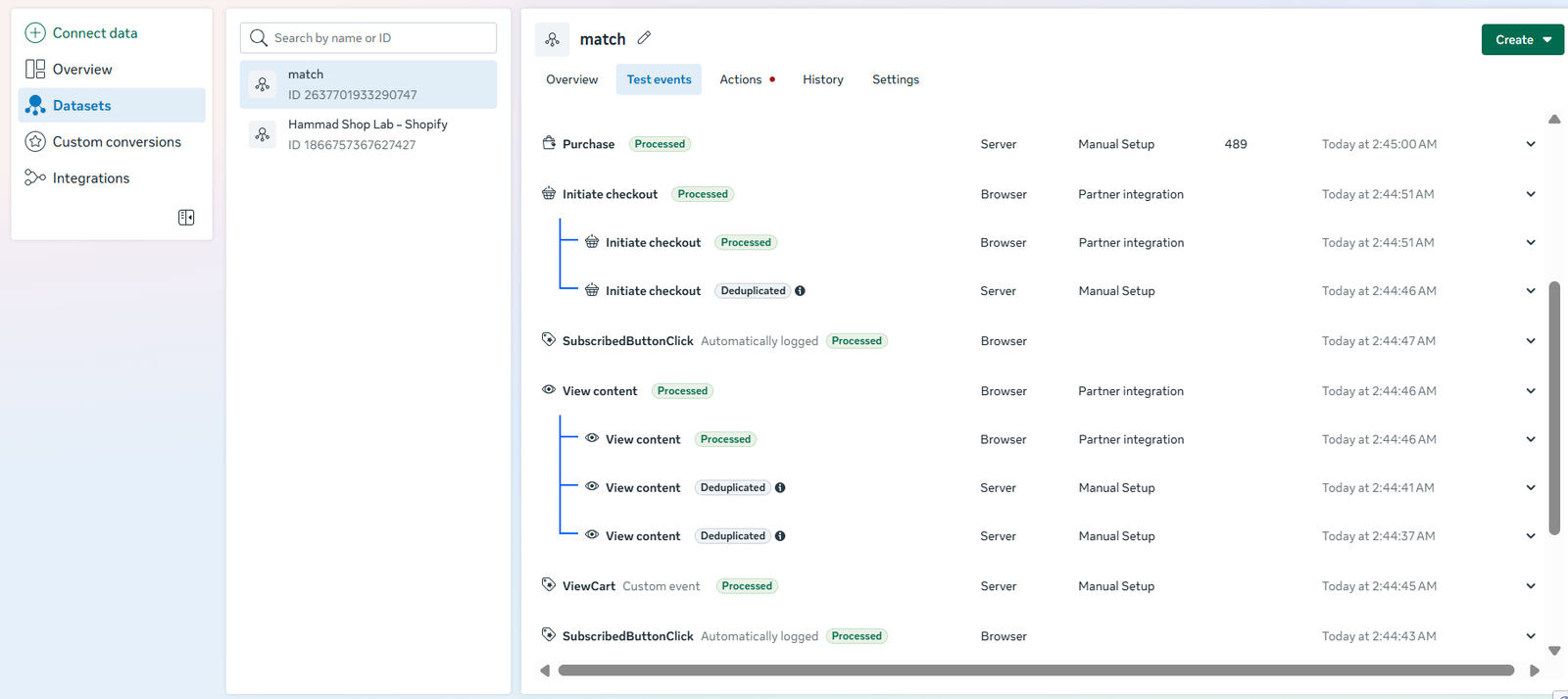
Ecommerce events reviewed in Meta Test Events, including visible browser/server deduplication examples and a processed server Purchase event.
Forms · GA4 · Server GTM
Form & Lead Event Tracking
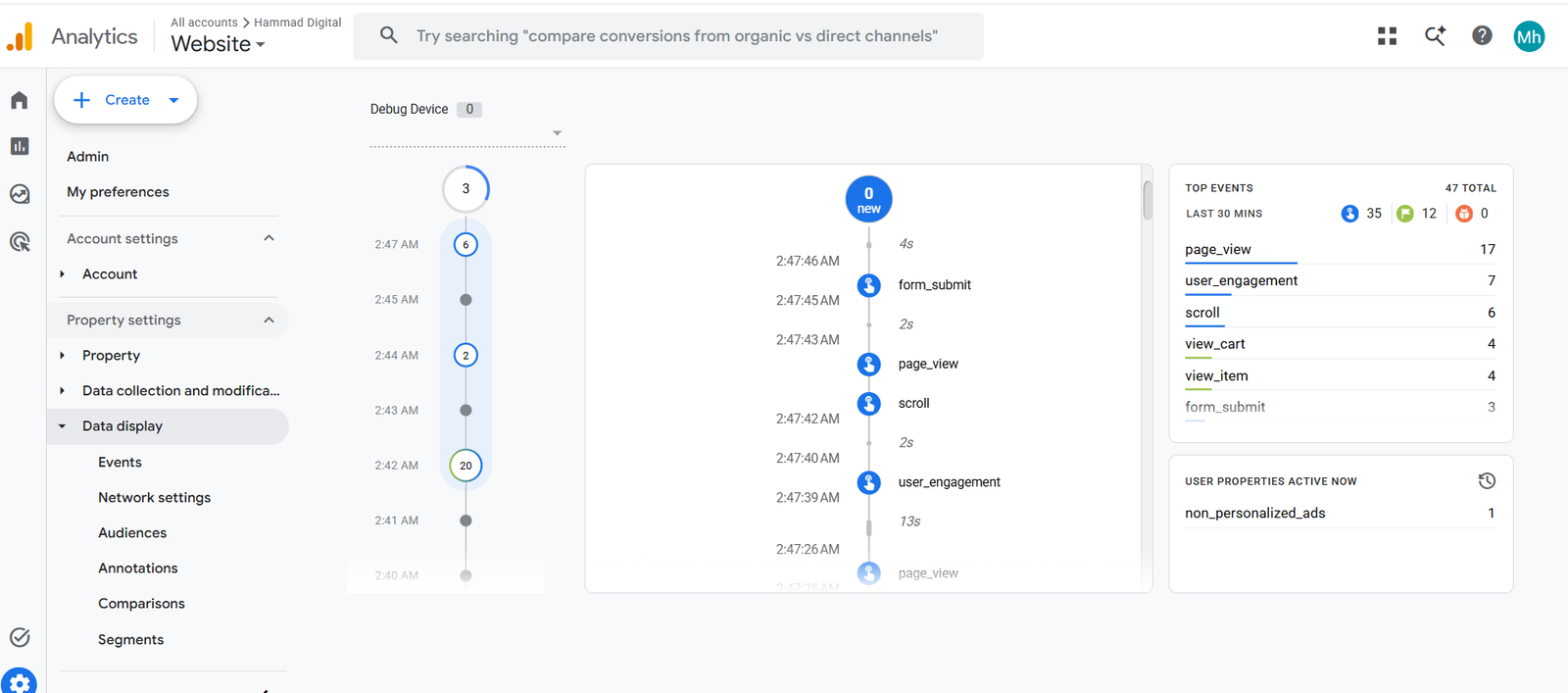
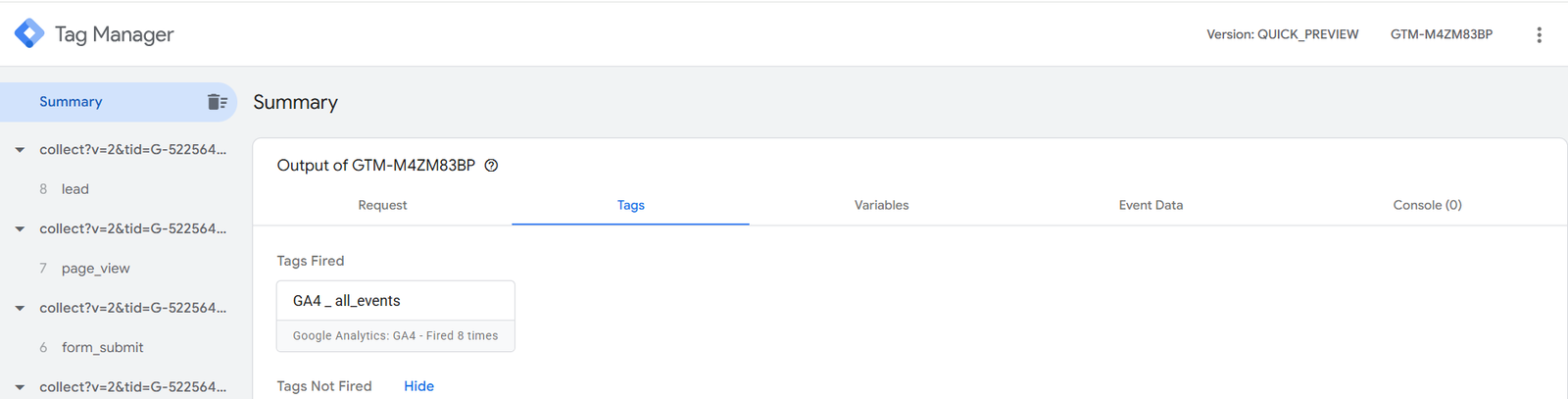
A practice workflow inspecting form activity in GA4 DebugView and lead-related requests in the server container.
Infrastructure · Event Routing
Server GTM With Custom Tracking Domain
A server-side environment connecting a custom tracking subdomain, incoming website requests and destination tags.
Read implementation details
Implementation
A custom tracking subdomain and server container were configured to route supported web events.
Available evidence
The ecommerce and form case studies on this page show requests and fired tags in server preview.
Click Identifiers · Lead Forms
GCLID Capture Through Lead Form
A demo workflow capturing the landing-page click identifier in a hidden field for later offline-conversion use.
Read implementation details
Implementation
The landing-page GCLID was mapped to a hidden form field and checked in the submitted contact information.
Scope
This example covers identifier capture. It does not demonstrate a completed Google Ads offline-conversion import.
Review · Debug · Document
GA4, GTM & Advertising Tag Audit
A review process for missing events, duplicate firing, incorrect triggers and inconsistent event parameters.
Read audit workflow
Review process
Inspect installation, triggers, parameters, destination requests and consent behaviour. Test customer actions individually and compare the observed events.
Deliverable
Document the issue, recommended fix and verification status. This describes the audit workflow rather than a specific client result.
Behind the Setup
Actual screenshots from the practice environments, with explanations of what each test demonstrates.
WooCommerce: From Shopping Activity to GA4
A personal WooCommerce store used to practise ecommerce event mapping across the web container, server container and GA4.
Objective
Measure product, cart, checkout and purchase activity so the shopping journey can be inspected beyond page views.
Implementation
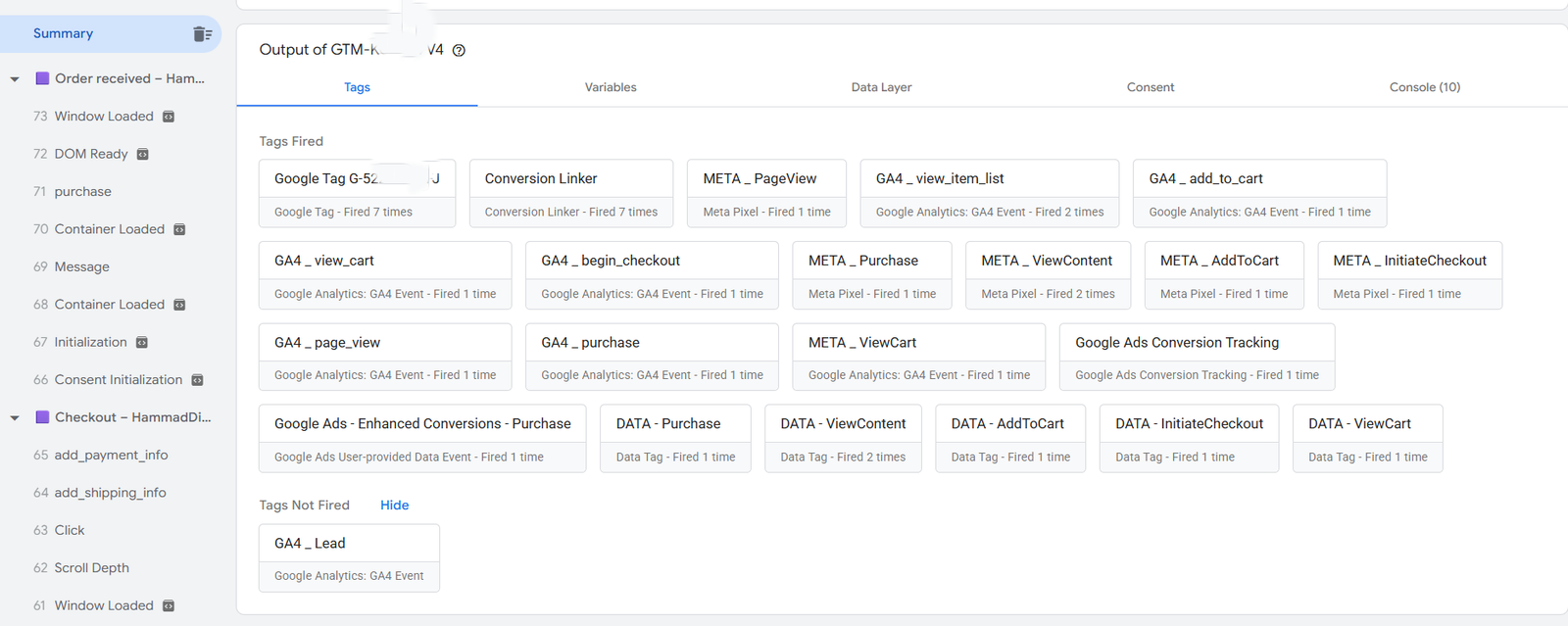
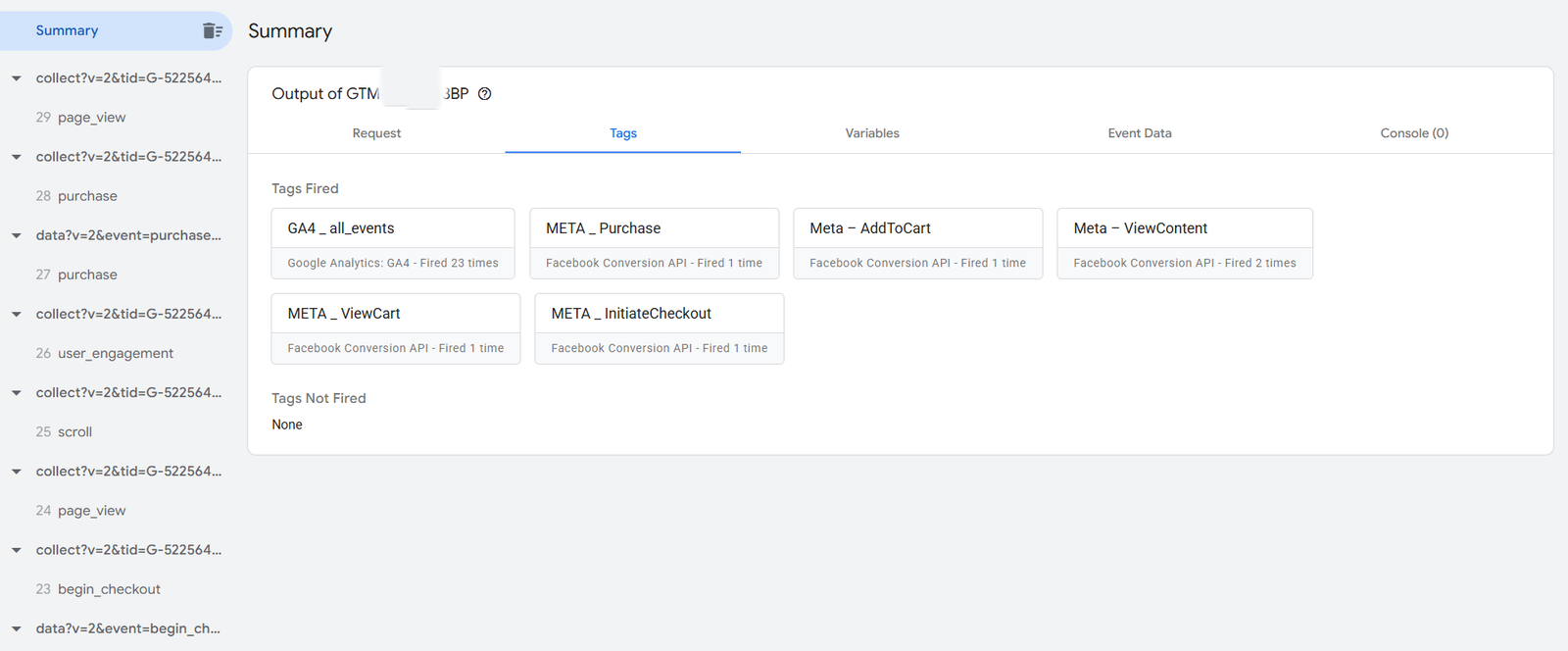
Configured ecommerce event tags and data-layer mappings in GTM. The web setup includes GA4 events, Google Ads purchase conversion tags and data tags for server routing.
Testing approach
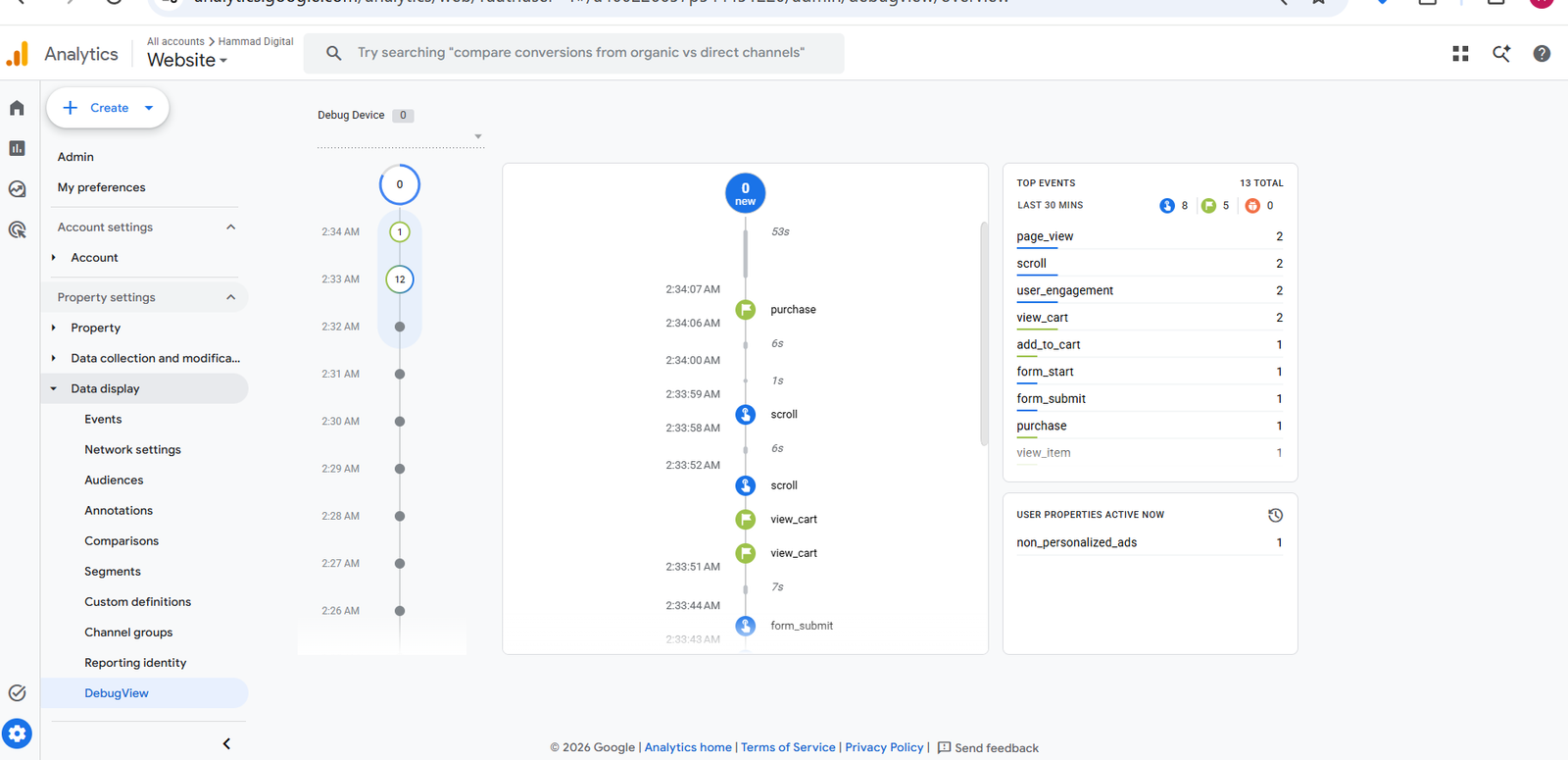
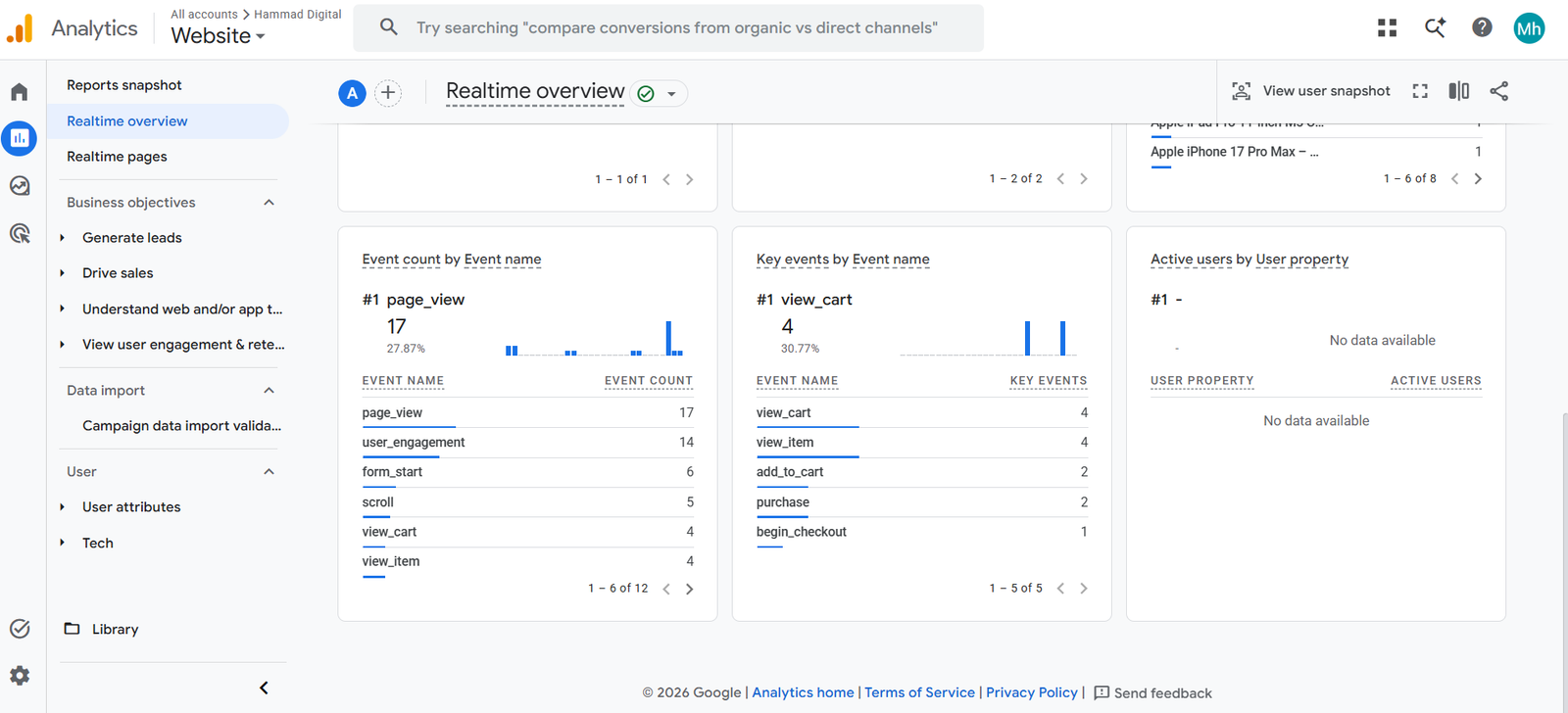
Reviewed fired tags in web and server preview, then checked received ecommerce activity in GA4 DebugView and Realtime.
Tools used
WordPress, WooCommerce, Google Tag Manager, GA4, Google Ads conversion tags and server-side GTM.
Observed result
GA4 DebugView displays purchase activity. Realtime lists product, cart, checkout and purchase events. The web-container summary shows the GA4 purchase and Google Ads conversion tags firing.
Verification scope: These screenshots show test activity. They do not establish order-value accuracy, complete duplicate prevention or attributed Google Ads conversions. Different screenshots cover different reporting windows.
View 4 testing screenshots — click an image to enlarge
Meta: Browser and Server Ecommerce Events
A demo implementation using browser Pixel events and server-side CAPI tags, inspected through Meta Test Events.
Objective
Send ecommerce actions through browser and server paths, then inspect how Meta handles overlapping test events.
Implementation
Configured browser ecommerce tags and server CAPI tags for content views, cart actions, checkout and purchase, with event identifiers for matching corresponding events.
Testing approach
Compared web and server tag summaries with Meta Test Events statuses for the captured customer actions.
Tools used
Meta Pixel, Conversions API, web GTM, server GTM, Stape and Meta Test Events.
Observed result
Meta Test Events shows server entries marked Deduplicated for ViewContent, AddToCart and InitiateCheckout. A Purchase event is shown as Processed from Server.
Verification scope: The Purchase screenshot does not show a deduplicated browser/server purchase pair. Repeated ViewContent entries remain visible, so these captures do not establish a fully duplicate-free implementation.
View 2 testing screenshots — click an image to enlarge
GA4 Form Activity and Server Lead Requests
A practice workflow tracing form-related activity through GA4 debugging and the server container.
Objective
Make form activity observable and inspect how lead-related requests travel through the tracking setup.
Implementation
Configured form-related tracking and server routing, then inspected GA4 form activity and incoming lead-related requests.
Testing approach
Reviewed form_submit in GA4 DebugView and form_submit and lead requests in server preview.
Tools used
Website forms, Google Tag Manager, GA4 DebugView and server-side GTM.
Observed result
The screenshots show form_submit activity in GA4 and a lead request in server preview. The server summary also shows the GA4 tag firing during the session.
Verification scope: These captures do not establish successful backend submission, rejection of invalid forms or a generate_lead event reaching GA4. Those outcomes require separate successful and failed submission tests.
View 2 testing screenshots — click an image to enlarge
More Case Studies
Published projects appear here. Sign in as a WordPress editor to add or manage entries.
Case study manager plugin activate karke page preview karein.
Add Case Study
From Event Plan to Handover
A structured process for configuration, testing and clear documentation.
Map Events
Define customer actions, event names and the parameters required for each event.
Configure
Implement tags, triggers, variables and destination settings.
Test
Inspect requests, event details and successful or failed customer actions.
Document
Record verified results, remaining limitations and handover instructions.
Need a Similar Tracking Setup?
Share your website, advertising platforms and current tracking problem. Let’s define the implementation and testing your project needs.
Discuss Your Tracking Setup →